Skip to content

Split Circle

by The Tech Express

New · Scan bills in 34 currencies

Split it.
Settle it.
Stay friends.

Split bills with friends, flatmates & trips. See who owes whom and settle up.

Android
Android & Wear OS · out now
Apple
iPhone & Apple Watch · coming soon
Price
Free · no ads · no tracking
ways to split a bill
5
currencies, at the day's rate
34
ads, trackers or fees
0
tap to settle with a friend
1

01How it works

One bill. Four friends. Zero awkward maths.

  1. 01

    Add the bill

    Type the amount or scan the receipt, then pick who paid and who shared it.

  2. 02

    Split it your way

    Equally, by exact amounts, by percentage, by shares or item by item. Every split adds up to the exact paisa.

  3. 03

    Settle up the smart way

    Split Circle works out who owes whom, and clears the group in the fewest payments.

02Features

Everything a shared wallet needs

Flats, trips, office lunches or one dinner with a friend: one app keeps every rupee straight.

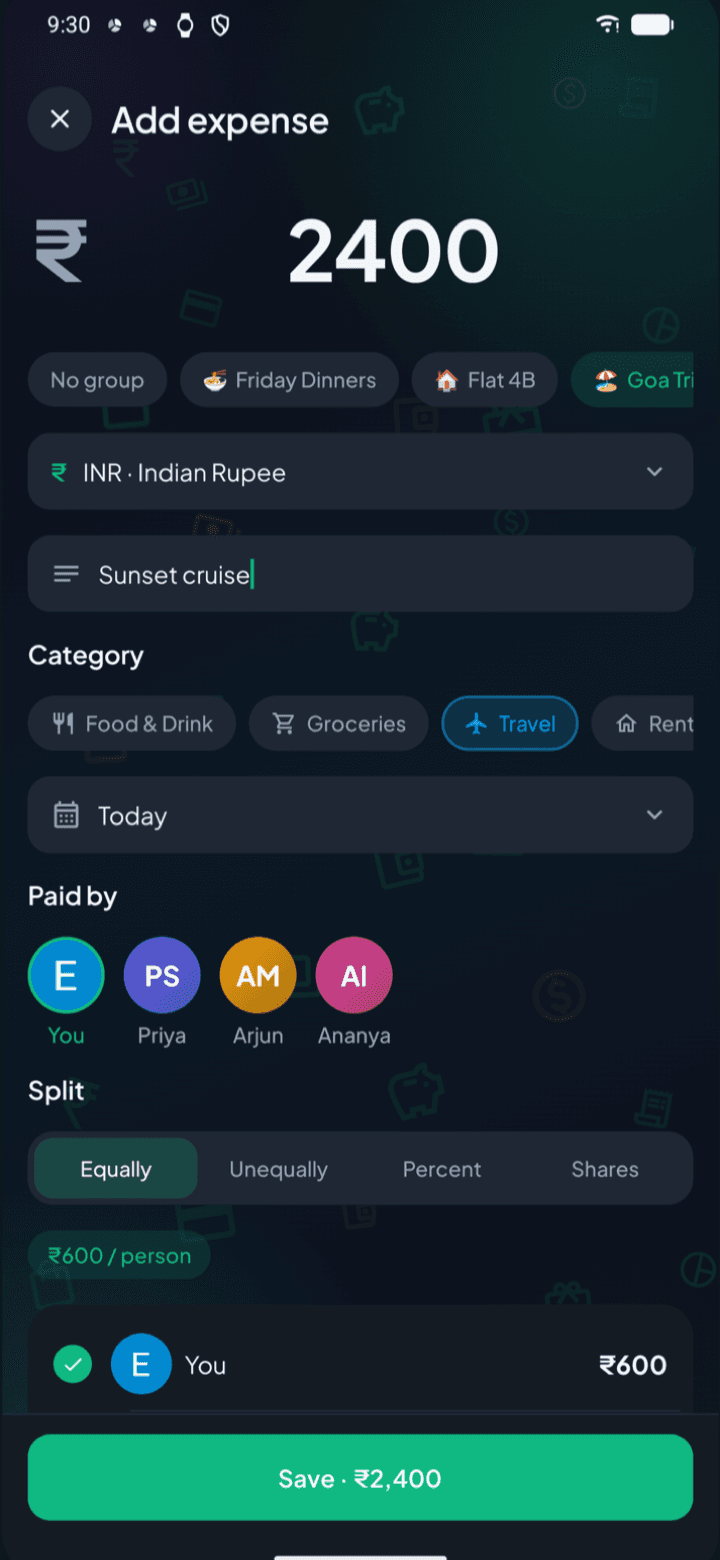
Adding a ₹2,400 expense for a trip, paid by you and split equally between four people
01 / 06

Split any bill, any way

Equally, by exact amounts, by percentage or by shares. Itemised bills give each item to the people who had it, and tax and tip are shared fairly. Every split adds up to the exact paisa.

  • Equally
  • Exact amounts
  • Percentage
  • Shares
  • Item by item
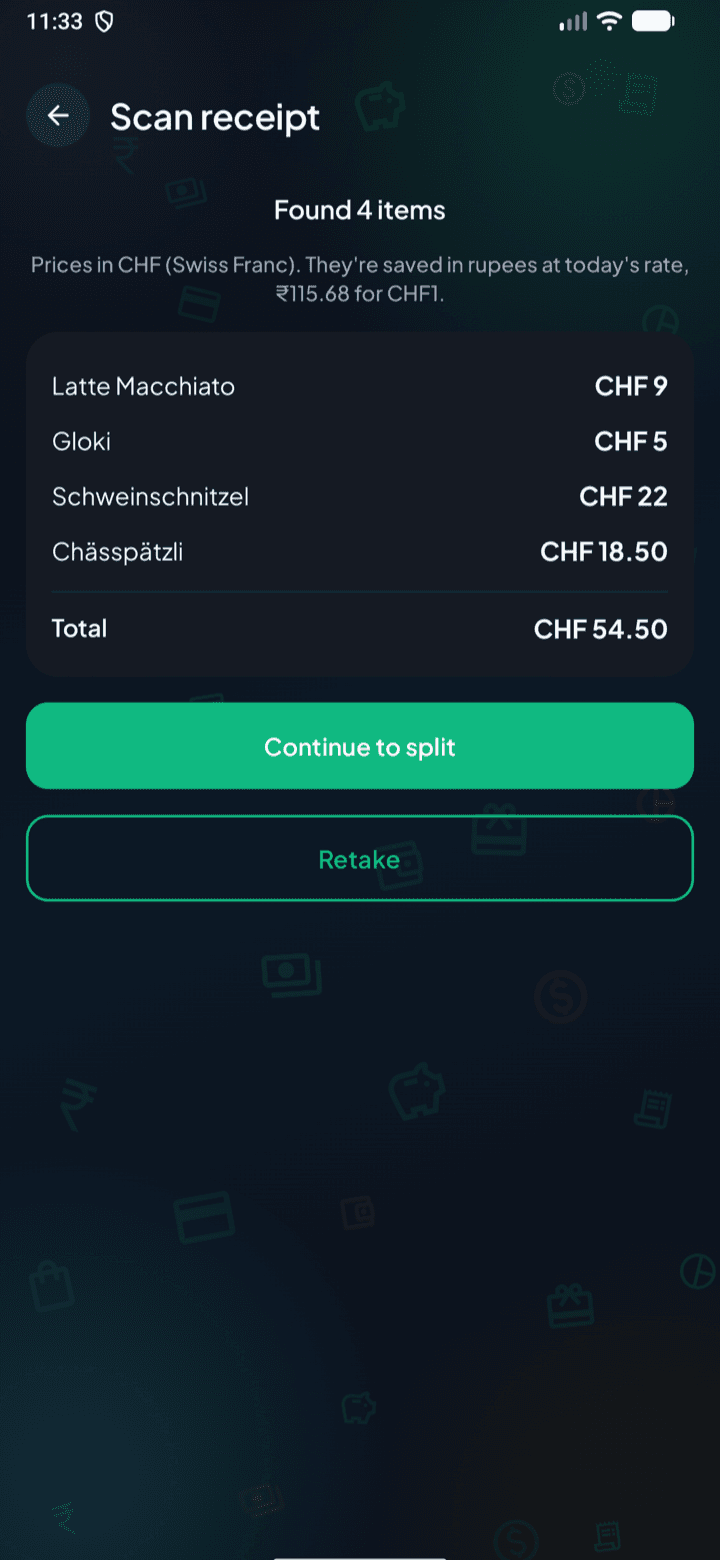
A scanned Swiss receipt read in Swiss francs: four items and the CHF 54.50 total, saved in rupees at the day's rate
02 / 06

Scan a bill, in any currency

Snap a receipt and the items, tax and total fill themselves in, in the currency it was printed in. Paid abroad? Pick from 34 currencies: amounts convert to rupees at the day's European Central Bank rate, or the rate your card actually charged, and the original amount is kept.

  • 34 currencies
  • Day's ECB rate
  • Your own rate
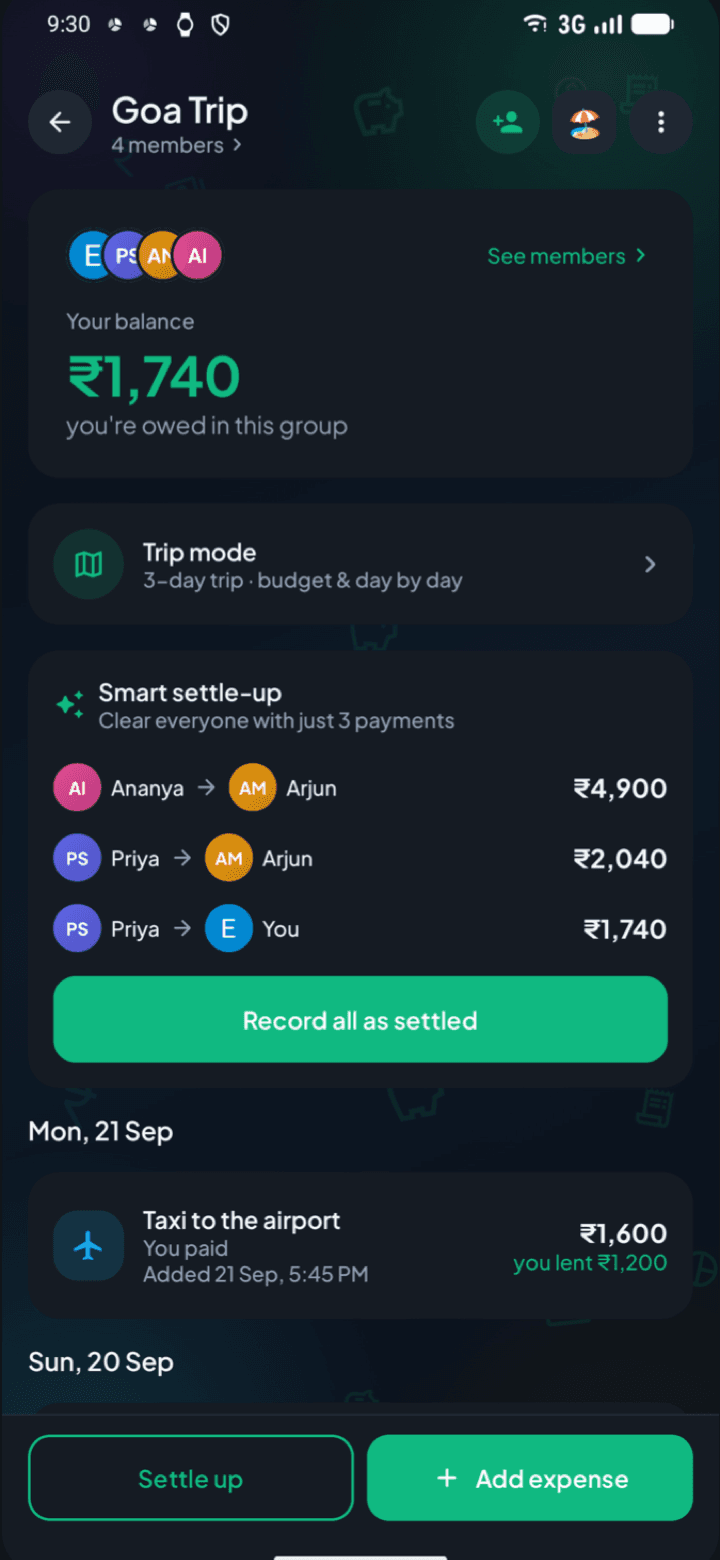
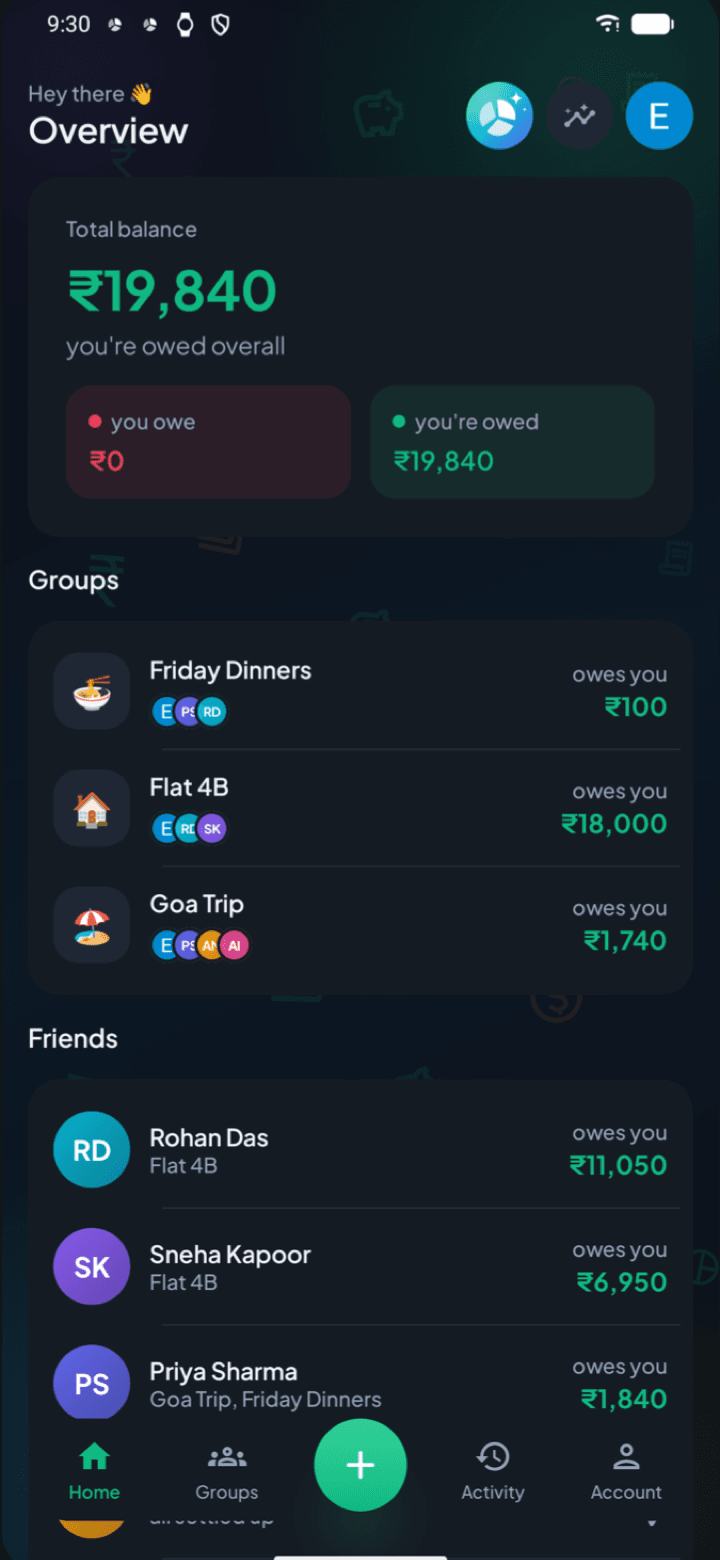
A Goa trip group with your balance and smart settle-up clearing everyone in three payments
03 / 06

Settle up the smart way

Smart settle-up clears a group in the fewest payments, and you can settle with a friend once, across every group you share.

  • Fewest payments
  • Across every group
  • Reminders
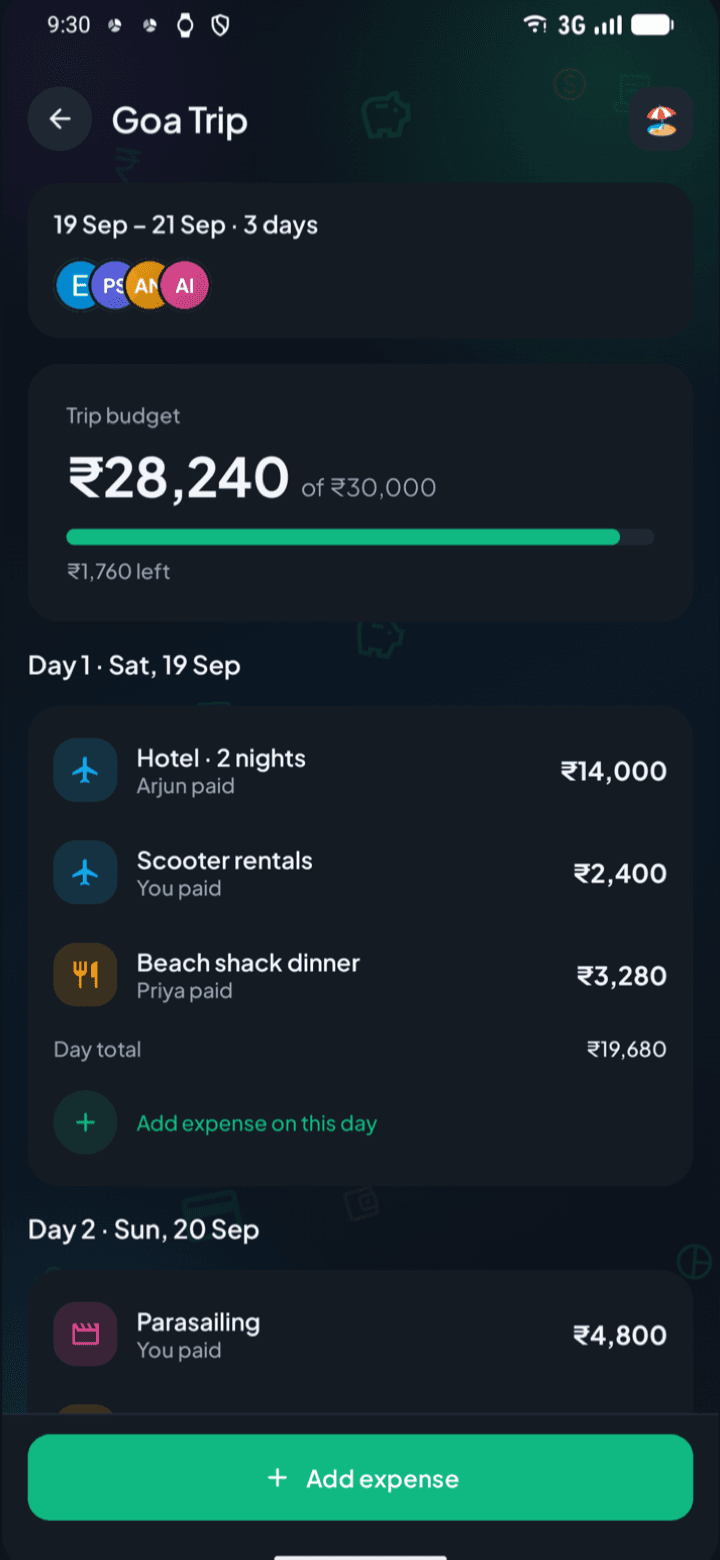
Trip mode: the trip budget with what's left, and each day's expenses
04 / 06

Groups and trips

Groups for your flat, office lunches, college friends or family. Trip mode adds a travel budget and a day-by-day view of what was spent.

  • Flats
  • Trips
  • Office lunches
  • One-on-one
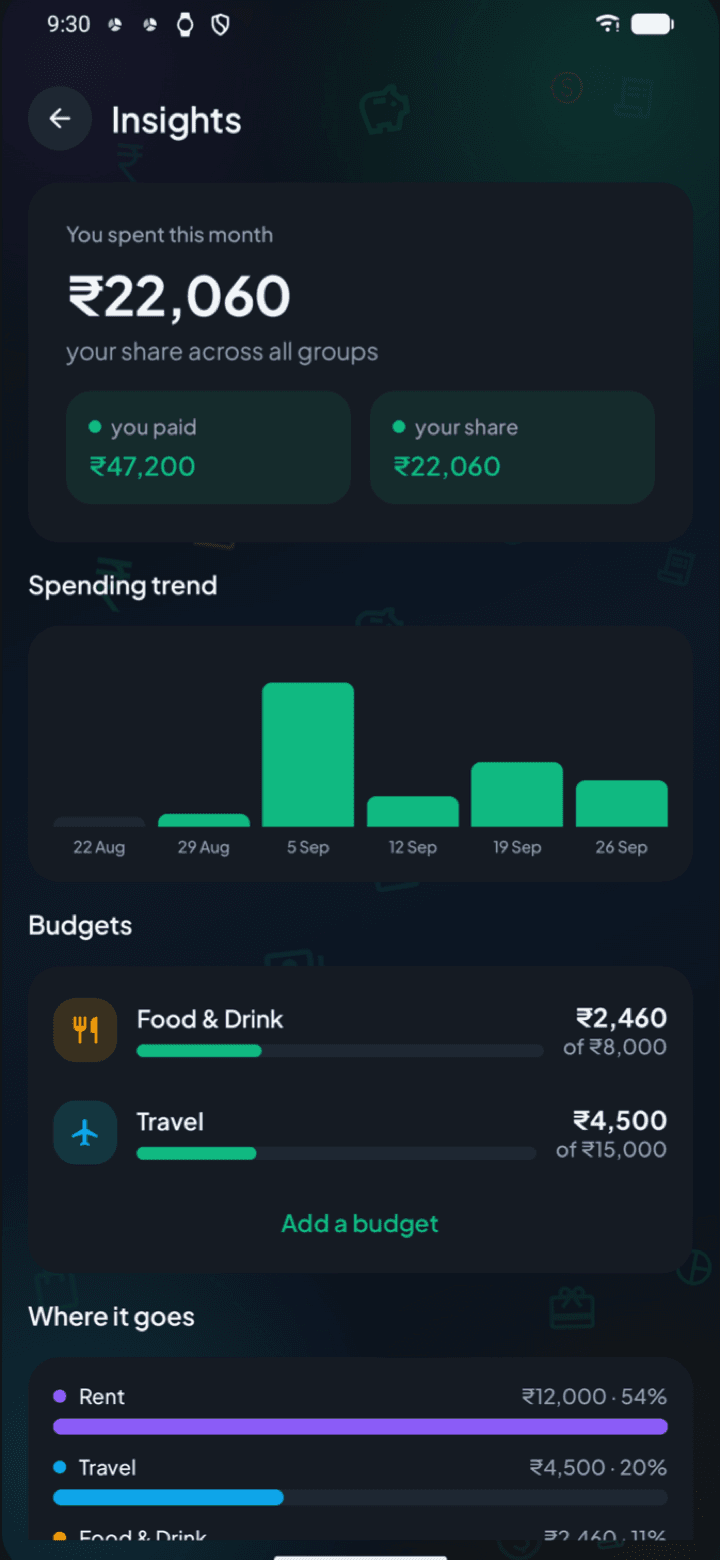
Spending insights: this month's spending, a weekly trend, category budgets and where the money went
05 / 06

Know where your money goes

Spending insights, monthly budgets per category, and a colour PDF report of a group, a trip or your whole history.

  • Insights
  • Monthly budgets
  • PDF reports
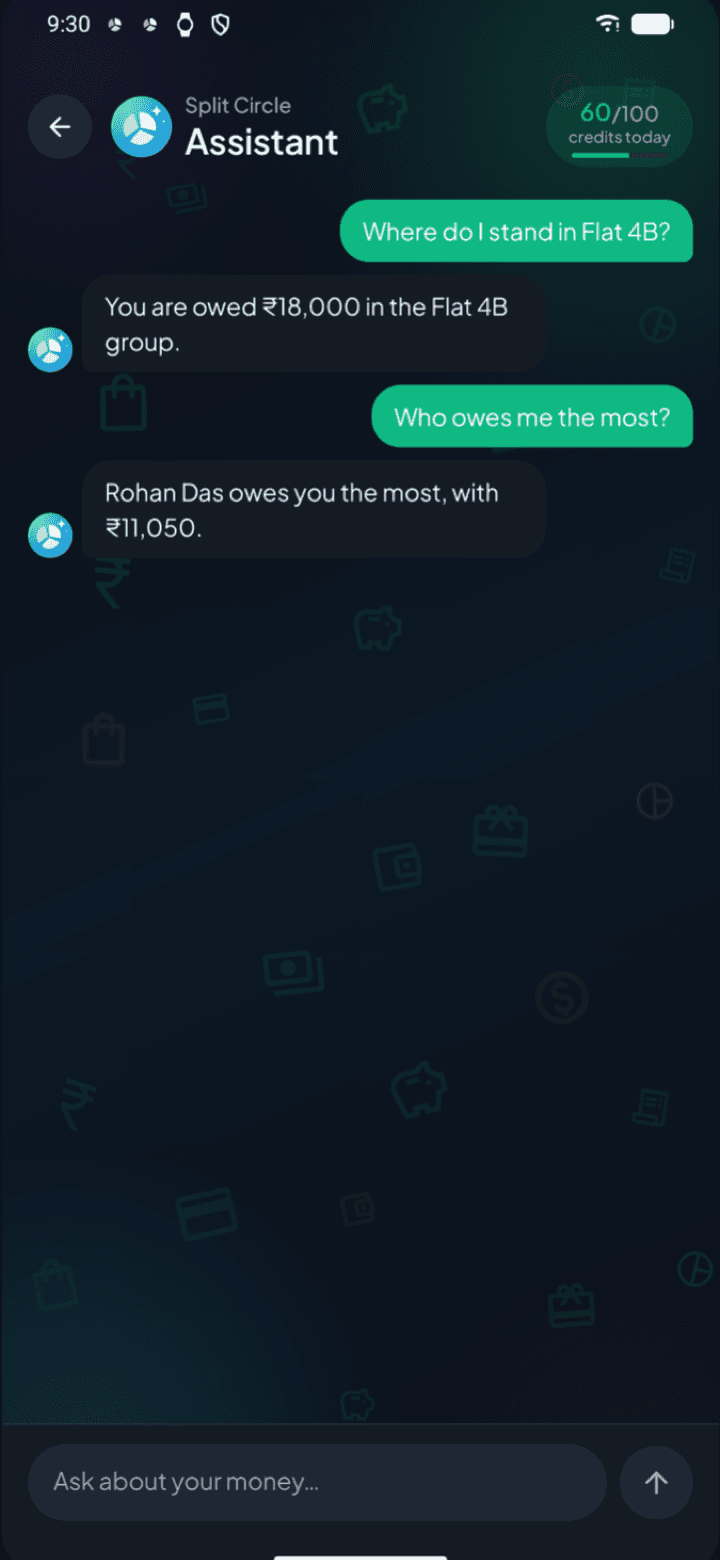
The Split Circle Assistant answering who owes you the most
06 / 06

Split Circle Assistant

Ask about your balances and spending in plain words, with a free daily allowance. Optional — nothing is sent unless you ask.

  • Plain words
  • Free daily allowance
  • Only when you ask

03Receipt scanning

Snap a bill. In any currency.

  • Items, tax and total fill in

    Point the camera at the bill or pick a photo. The shop, every item and the total are read for you, then you choose who had what.

  • In the currency it was printed in

    Francs, baht, yen or dollars: the bill keeps its own currency, and is saved in rupees at the day's European Central Bank rate.

  • The photo isn't kept

    It's read by an AI model, then thrown away. Only the items you choose to save become an expense.

04Travel

34 currencies. One balance.

Paid in baht in Bangkok or euros in Rome? Pick the currency and Split Circle converts it to rupees, so everyone's balance stays in one money.

The day's rate
European Central Bank reference rates, fetched once a day.
Or your own
Type the rate your card or money changer actually charged.
Kept for good
Each expense keeps its rate and the amount you paid.

05Smartwatch

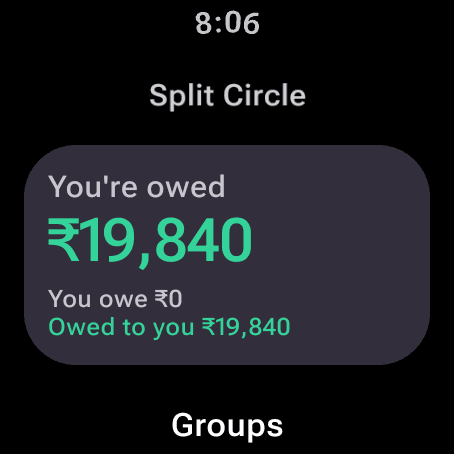
Where you stand, on your wrist

Your balance, groups, friends and latest expenses, with a tile or a watch-face widget for where you stand overall. The phone sends them straight to the watch.

Split Circle on Wear OS: you're owed ₹19,840
Wear OS · out now

Split Circle

10:09

You're owed

₹19,840

You owe ₹0

Owed to you ₹19,840

Groups

🏠 Flat 4B

owes you ₹18,000

Apple Watch · with the iPhone app, coming soon
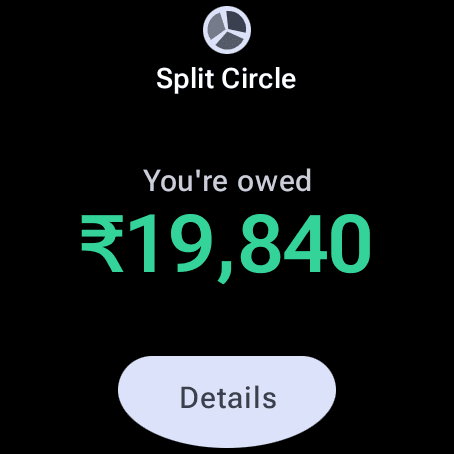
The Split Circle tile on Wear OS
The tile · a swipe from the face

06And there's more

The little things that make it fair

Trip mode

A travel budget, what's left, and a day-by-day view of what was spent.

Insights

This month's spending, a weekly trend, budgets per category and where the money went.

Split Circle Assistant

Ask about your balances in plain words, with a free daily allowance. Nothing is sent unless you ask.

To the exact paisa

Uneven amounts are shared out so every split adds back up to the bill, never a paisa over or under.

Colour PDF reports

A report of a group, a trip or your whole history, made on your phone and shared where you choose.

Live, and offline too

Balances update live for everyone in the group, and the app opens straight away on your last balances.

Invite with a link

Share a link, invite by email or pick people you already split with. Nobody is added without accepting.

Tablets and foldables

A two-pane layout on big screens, so groups and their expenses sit side by side.

Dark or light

Pick a theme when you sign in, and change it whenever you like.

07Privacy

Private by design

  • No ads, no selling

    No ads in the app, and your data is never sold or shared with advertisers.

  • No tracking

    No analytics or advertising tools, and the app doesn't use your advertising ID.

  • Only your circle

    A group's expenses are seen only by its members. A one-on-one stays between two.

  • Receipts aren't kept

    A scanned photo is read, then discarded. Neither the app nor the server keeps it.

  • Delete any time

    Delete your account from inside the app, and your private data is erased.

Policy last updated 14 October 2026.

08FAQ

Good questions

Something else? Write to thetechexpressyt@gmail.com.

Is Split Circle free?

Yes. It's free, with no ads and no tracking.

Do I need an account?

You sign in with Google, so there are no passwords to remember.

Who can see my expenses?

Only the people in a group see its expenses. A one-on-one expense is seen only by you and the other person.

How do I delete my account?

In the app, go to Account → Delete account. If you can't get into the app, you can request deletion on Split Circle's delete-account page.

Can I split bills in other currencies?

Yes. Pick from 34 currencies, or scan the bill and its currency is picked for you. Balances stay in rupees, converted at the day's rate or the rate you actually paid, and the original amount is kept with the expense.

Does it work on a smartwatch?

Yes. The Wear OS app is live with the Android app, and an Apple Watch app comes with the iPhone version. Both show your balances, groups, friends and latest expenses.

Is there an iPhone version?

It's on the way, with the Apple Watch app. Android comes first.

Keep money simple between friends

Free, with no ads and no tracking. Sign in with Google, start a group and add the first bill.

Get it on Google Play (opens in a new tab)iPhone & Apple Watch · coming soon